Top 10 Job Search Automation Tools in 2026 (Tested on Real Applications)
Top 10 Job Search Automation Tools in 2026 (Tested on Real Applications)

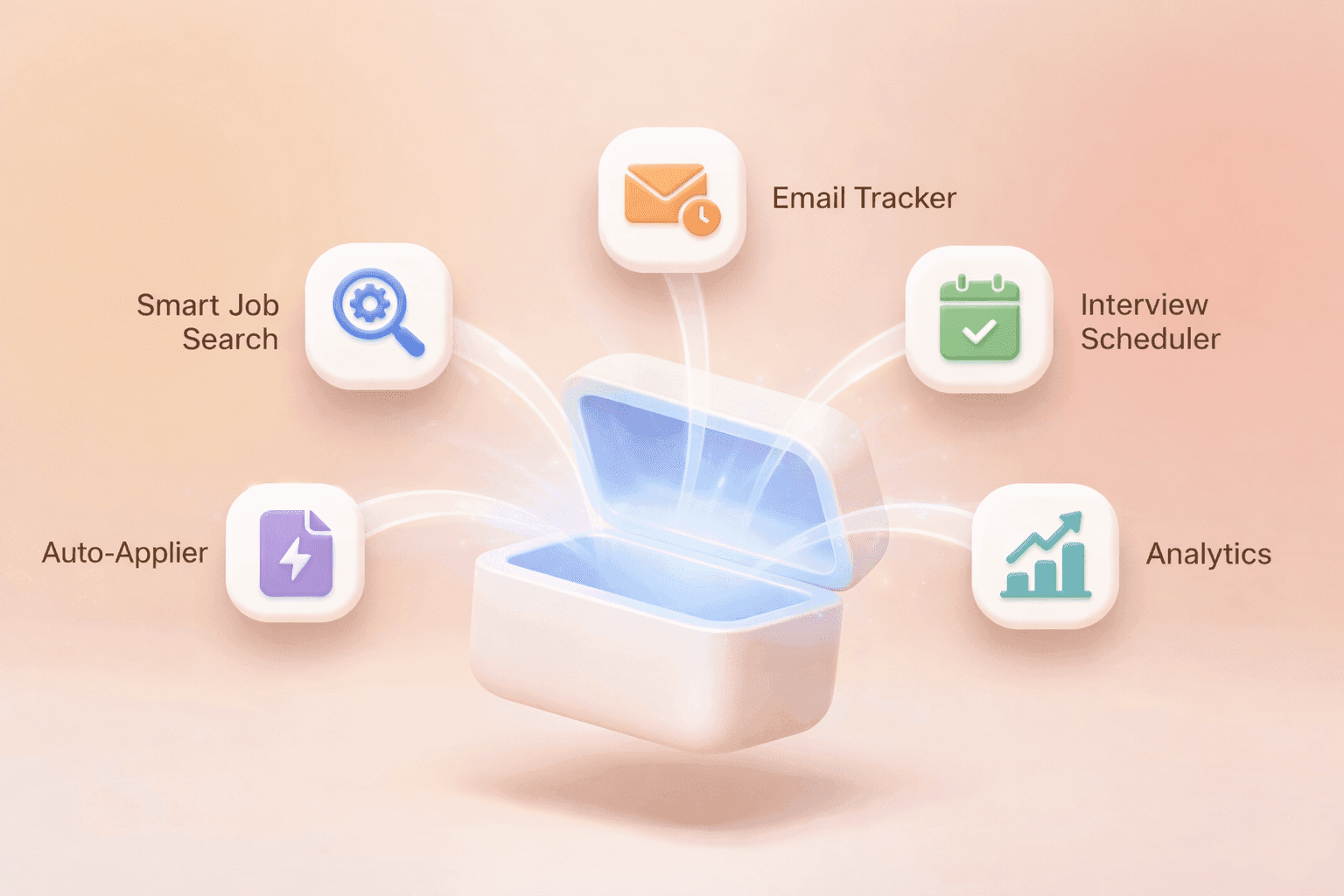
A 3D illustration representing a digital toolbox for job search automation

In this post:

In this post:

In this post:

Section

Section

Section

Job hunting in 2026 is about maximizing leverage. Automated systems, ATS filters, and AI – they are recruiters’ best friends, while job seekers still spend hours completing the same forms manually. And automation in this case is a must. 

We tested the best job search automation tools using actual candidate profiles. Our goal was to the game-changers from the gimmicks and recommend the absolute best solution for your search. 

How We Chose Job Search Automation Tools

To keep this comparison credible, repeatable, and useful for real candidates, we tested 30 CVs for different job levels for 6 weeks. As job sources, we’ve used Indeed, LinkedIn, and company career pages.

Each tool was scored on a 100-point scale with weighted categories:

  • Discovery and match quality (15%) – how well the tool finds jobs matching your profile.

  • Resume tailoring and ATS compatibility (20%) – ability to tailor and pass ATS.

  • Automation and reliability (20%) – auto-apply success rate, handling of multi-board differences.

  • Personalization (15%) – quality of cover letters/open answers and ability to insert personal data.

  • Integrations and workflows (10%) – Zapier/GSheets/LinkedIn/ATS integrations.

  • Privacy / ToS risk (10%) – likelihood of being flagged or violating site rules.

  • Price / value (10%) – cost vs time saved and results.

1. CareerSwift

This is not a “spray and pray” auto-apply bot. CareerSwift is one of the best job search automation tools on the assumption that the job search process is about interviews, not applications.

Instead of blindly submitting hundreds of low-quality applications, CareerSwift focuses on the controlled automation, job relevance and ATS-safe personalization. Briefly, it combines speed with intent. 

CareerSwift automates the job search process in the right places without sacrificing logic and reason in the process:

  • Intelligent job matching based on job role, seniority, and intent

  • ATS-compliant resume alignment prior to application submission

  • Guided application automation, not reckless application automation

  • Automated tracking of applications, replies, and interview results

CareerSwift performs best for mid- to senior professionals, career switchers who need relevance, or people burned by low response rates.

2. LazyApply

LazyApply is one of the most popular browser-based auto-apply tools. It has been optimized for quick submission on popular sites such as LinkedIn, Indeed, and ZipRecruiter.

What LazyApply does well:

  • Fast setup process

  • High volume of daily applications

  • Browser-based application

  • Good coverage on job boards

This tool will help early-career job seekers who need to apply widely and quickly. Also, LazyAplly is for those who choose to prioritize volume over deep personalization.

3. Sonara

Sonara promises a top-notch experience through AI-powered matching and application submission. This could be an attractive option for busy professionals who want a "set it and forget it" experience.

What Sonara does well:

  • Job discovery and application in one step

  • AI-generated cover letter and answers

  • Low effort required from the applicant

Sonara works best for passive job seekers, and users are willing to trade control for convenience.

4. Jobscan

Jobscan is the most popular ATS optimization tool, and it’s no wonder why: it’s modeled after how actual ATS systems rank resumes against job posts.

What Jobscan does well:

  • Matches your resume to a given job description

  • Evaluates keyword matches, skill sets, and formatting

  • Highlights ATS problems like headers, fonts, and structure

  • Helps optimize your LinkedIn profile for recruiter searches

This tool works best for ATS-heavy roles, especially for polishing senior or leadership resumes.

5. Teal

But Teal is more than just a resume helper, as it provides AI-based resume customization, job tracking, and application support, all without the wild abandon of auto-apply plugins.

What Teal does well:

  • AI resume builder with ATS-friendly customization

  • Job tracker with application, deadline, and follow-up information

  • Autocomplete forms with templates and past answers

  • Personalized recommendations based on your information

Teal works best for organized candidates who want AI help without losing control.

6. LoopCV

LoopCV is always on the lookout for available job postings and can auto-apply or queue them for easy approval.

LoopCV can assist you with:

  • Setting search loops based on your desired job, location, and filters

  • Auto-applying to your desired jobs or reviewing them manually

  • Sending emails to recruiters detected through AI technology

  • Tracking responses and trying out various CV versions

This tool works best for job seekers who want background job hunting with some human review.

7. Resume Worded

Worded scores and enhances resumes and LinkedIn profiles to assist recruiters in engaging with the content. It is a quality booster that leverages technology to improve conversion quality.

What Resume Worded does well:

  • Scores your resume on clarity, impact, and recruiter appeal

  • Assesses your LinkedIn profile and offers improvement tips

  • Suggests changes to your skills, achievements, and words

This tool is most effective for candidates seeking senior or highly competitive roles.

8. AIApply

AIApply is an AI-based tool designed to assist with the job search process, including creating unique resumes and cover letters and automating application submission. It also prepares an individual for an interview, bringing together the pre- and post-application processes.

What AIApply Does Well:

  • AI resume rewriting

  • AI cover letter creation

  • Auto-submission of applications through an internal job database

This tool works best for candid job seekers who want AI help at every step.

9. JobCopilot

Job Copilot offers automated search, filters, auto applications, and tracking, similar to Loop CV but on a larger scale. The goal is a decision-free automation system where filters are configured and the system simply works.

What JobCopilot does well:

  • AI search and filtering

  • Auto application submissions

  • Tracking dashboard

This tool is best for job seekers who want volume and tracking while still planning manual review of key replies. 

10. Simplify

Simplify is a browser extension that autofills job applications on many sites and tracks your applications. It can speed up your job application process through its automation feature. It’s a lighter alternative to more advanced tools, offering less automation and more acceleration.

What Simplify does well:

  • Autofill applications on 100+ sites

  • Basic application tracking

  • Resume keyword analysis

Best for candidates who want control and a speed boost.

Which Job Search Automation Tool Would Suit You Better

The "best" tool isn't universal; it depends entirely on your career stage and your risk tolerance. Here is our breakdown of the top tools by user persona.

Entry-Level/New Graduates: LazyApply

When you have little experience, job searching is often a numbers game. LazyApply is built for high-volume applications, allowing you to flood the market with applications quickly to get your foot in the door. 

Career Switchers: CareerSwift

You don't just need to apply; you need to prove your transferable skills fit a new industry. CareerSwift is ideal here because it focuses on optimization, analyzing your resume against new role requirements to ensure you aren't filtered out by the ATS before a human sees your potential.

Mid-Level Professionals: CareerSwift & Teal

At this stage, you need organization as much as automation.

  • CareerSwift handles the technical side (ATS scoring and tailoring).

  • Teal acts as a robust CRM to track your growing network and manage multiple interview pipelines.

Seniors/C-Level Executives: CareerSwift & Resume Worded

Volume is irrelevant here; quality is everything.

  • Resume Worded provides deep, executive-level feedback on your LinkedIn profile and resume impact.

  • CareerSwift ensures your assets technically align with the specific, high-stakes leadership roles you are targeting.

Passive Seekers: LoopCV or JobCopilot

You have a job, so you want the search to run in the background. These tools act as "set it and forget it" agents, applying to jobs while you sleep so you only wake up to interview requests.

Automation Enjoyers: Sonara or AIApply

For tech-savvy users who want the latest features. These platforms often push the envelope with newer AI capabilities, aggressively finding and applying to roles with minimal manual interference. 

The Final Word

In 2026, the automation of the job search process is about getting more responses and interviews. But still, the best results come from the most advanced and controlled automation.

If you want this, try CareerSwift, a smart job search automation tool. It focuses on relevance, ATS safety, and tracking to help job seekers avoid:

  • Automating rejection

  • Burning platforms before the interviews come

If you want to get more replies in 2026, CareerSwift is your choice.

FAQs

Is job search automation safe to use?

Yes, but only if you use tools that respect platform limits. The danger lies in using low-quality "bot" scripts that perform actions inhumanly fast (e.g., viewing 1,000 profiles in a minute). LinkedIn and other platforms monitor for this specific behavior and will flag or ban accounts that look like spam bots.

However, modern, reputable automation tools act like a "digital assistant." They mimic human behavior by adding random delays between clicks, adhering to daily safety limits, and taking "breaks." If you stick to these controlled parameters, your account remains safe.

Will automated job applications hurt my chances?

They will if you use them to "spam" generic resumes. Automation amplifies whatever you feed it. If you automate the distribution of a mediocre, generic resume to 500 unrelated jobs, you will simply receive 500 rejections faster than usual.

However, automation improves your chances when used to handle repetitive data entry. The winning strategy is to use automation to find and fill out applications, but ensure your core assets (resume and profile) are high-quality and ATS-optimized before you hit "start." Think of automation as a delivery truck; it gets the package there, but the contents of the package still need to be valuable.

What is the biggest mistake that job seekers make when using job search automation?

The biggest mistake is the "Set It and Forget It" mentality. Many job seekers turn on an auto-applier with broad filters (e.g., "Marketing" in "United States") and walk away. This results in applying to hundreds of irrelevant roles, which tanks your conversion rate and signals to platforms that you are a spammer.

The most effective users run automation in short, intentional bursts. They set very specific filters (e.g., "Product Marketing Manager" in "Austin" + "SaaS"), review the list, and then let the tool apply to those specific 20–30 matches. This keeps quality high and keeps your account under the radar.

Should I customize my resume in 2026?

Yes, customization is more critical now than ever. While automation tools solve the speed problem, they don't solve the relevance problem. In 2026, Applicant Tracking Systems (ATS) are highly advanced at filtering out resumes that lack specific semantic keywords.

If you skip customization, you might be the first person to apply, but the algorithm will still rank you last. You don't need to rewrite your resume from scratch for every role, but you must align your skills and keywords with the job description to pass the initial digital screen.

Which tool is best for the average job seeker?

For most users, CareerSwift is the most balanced choice. While many tools strictly focus on applying (quantity), CareerSwift focuses on hireability (quality). It doesn't just automate the application process; it first analyzes your resume and profile to ensure they are actually ready to convert. By combining safe, human-like automation with deep ATS analysis, it offers the best all-in-one ecosystem for landing interviews, not just sending applications.

Job hunting in 2026 is about maximizing leverage. Automated systems, ATS filters, and AI – they are recruiters’ best friends, while job seekers still spend hours completing the same forms manually. And automation in this case is a must. 

We tested the best job search automation tools using actual candidate profiles. Our goal was to the game-changers from the gimmicks and recommend the absolute best solution for your search. 

How We Chose Job Search Automation Tools

To keep this comparison credible, repeatable, and useful for real candidates, we tested 30 CVs for different job levels for 6 weeks. As job sources, we’ve used Indeed, LinkedIn, and company career pages.

Each tool was scored on a 100-point scale with weighted categories:

  • Discovery and match quality (15%) – how well the tool finds jobs matching your profile.

  • Resume tailoring and ATS compatibility (20%) – ability to tailor and pass ATS.

  • Automation and reliability (20%) – auto-apply success rate, handling of multi-board differences.

  • Personalization (15%) – quality of cover letters/open answers and ability to insert personal data.

  • Integrations and workflows (10%) – Zapier/GSheets/LinkedIn/ATS integrations.

  • Privacy / ToS risk (10%) – likelihood of being flagged or violating site rules.

  • Price / value (10%) – cost vs time saved and results.

1. CareerSwift

This is not a “spray and pray” auto-apply bot. CareerSwift is one of the best job search automation tools on the assumption that the job search process is about interviews, not applications.

Instead of blindly submitting hundreds of low-quality applications, CareerSwift focuses on the controlled automation, job relevance and ATS-safe personalization. Briefly, it combines speed with intent. 

CareerSwift automates the job search process in the right places without sacrificing logic and reason in the process:

  • Intelligent job matching based on job role, seniority, and intent

  • ATS-compliant resume alignment prior to application submission

  • Guided application automation, not reckless application automation

  • Automated tracking of applications, replies, and interview results

CareerSwift performs best for mid- to senior professionals, career switchers who need relevance, or people burned by low response rates.

2. LazyApply

LazyApply is one of the most popular browser-based auto-apply tools. It has been optimized for quick submission on popular sites such as LinkedIn, Indeed, and ZipRecruiter.

What LazyApply does well:

  • Fast setup process

  • High volume of daily applications

  • Browser-based application

  • Good coverage on job boards

This tool will help early-career job seekers who need to apply widely and quickly. Also, LazyAplly is for those who choose to prioritize volume over deep personalization.

3. Sonara

Sonara promises a top-notch experience through AI-powered matching and application submission. This could be an attractive option for busy professionals who want a "set it and forget it" experience.

What Sonara does well:

  • Job discovery and application in one step

  • AI-generated cover letter and answers

  • Low effort required from the applicant

Sonara works best for passive job seekers, and users are willing to trade control for convenience.

4. Jobscan

Jobscan is the most popular ATS optimization tool, and it’s no wonder why: it’s modeled after how actual ATS systems rank resumes against job posts.

What Jobscan does well:

  • Matches your resume to a given job description

  • Evaluates keyword matches, skill sets, and formatting

  • Highlights ATS problems like headers, fonts, and structure

  • Helps optimize your LinkedIn profile for recruiter searches

This tool works best for ATS-heavy roles, especially for polishing senior or leadership resumes.

5. Teal

But Teal is more than just a resume helper, as it provides AI-based resume customization, job tracking, and application support, all without the wild abandon of auto-apply plugins.

What Teal does well:

  • AI resume builder with ATS-friendly customization

  • Job tracker with application, deadline, and follow-up information

  • Autocomplete forms with templates and past answers

  • Personalized recommendations based on your information

Teal works best for organized candidates who want AI help without losing control.

6. LoopCV

LoopCV is always on the lookout for available job postings and can auto-apply or queue them for easy approval.

LoopCV can assist you with:

  • Setting search loops based on your desired job, location, and filters

  • Auto-applying to your desired jobs or reviewing them manually

  • Sending emails to recruiters detected through AI technology

  • Tracking responses and trying out various CV versions

This tool works best for job seekers who want background job hunting with some human review.

7. Resume Worded

Worded scores and enhances resumes and LinkedIn profiles to assist recruiters in engaging with the content. It is a quality booster that leverages technology to improve conversion quality.

What Resume Worded does well:

  • Scores your resume on clarity, impact, and recruiter appeal

  • Assesses your LinkedIn profile and offers improvement tips

  • Suggests changes to your skills, achievements, and words

This tool is most effective for candidates seeking senior or highly competitive roles.

8. AIApply

AIApply is an AI-based tool designed to assist with the job search process, including creating unique resumes and cover letters and automating application submission. It also prepares an individual for an interview, bringing together the pre- and post-application processes.

What AIApply Does Well:

  • AI resume rewriting

  • AI cover letter creation

  • Auto-submission of applications through an internal job database

This tool works best for candid job seekers who want AI help at every step.

9. JobCopilot

Job Copilot offers automated search, filters, auto applications, and tracking, similar to Loop CV but on a larger scale. The goal is a decision-free automation system where filters are configured and the system simply works.

What JobCopilot does well:

  • AI search and filtering

  • Auto application submissions

  • Tracking dashboard

This tool is best for job seekers who want volume and tracking while still planning manual review of key replies. 

10. Simplify

Simplify is a browser extension that autofills job applications on many sites and tracks your applications. It can speed up your job application process through its automation feature. It’s a lighter alternative to more advanced tools, offering less automation and more acceleration.

What Simplify does well:

  • Autofill applications on 100+ sites

  • Basic application tracking

  • Resume keyword analysis

Best for candidates who want control and a speed boost.

Which Job Search Automation Tool Would Suit You Better

The "best" tool isn't universal; it depends entirely on your career stage and your risk tolerance. Here is our breakdown of the top tools by user persona.

Entry-Level/New Graduates: LazyApply

When you have little experience, job searching is often a numbers game. LazyApply is built for high-volume applications, allowing you to flood the market with applications quickly to get your foot in the door. 

Career Switchers: CareerSwift

You don't just need to apply; you need to prove your transferable skills fit a new industry. CareerSwift is ideal here because it focuses on optimization, analyzing your resume against new role requirements to ensure you aren't filtered out by the ATS before a human sees your potential.

Mid-Level Professionals: CareerSwift & Teal

At this stage, you need organization as much as automation.

  • CareerSwift handles the technical side (ATS scoring and tailoring).

  • Teal acts as a robust CRM to track your growing network and manage multiple interview pipelines.

Seniors/C-Level Executives: CareerSwift & Resume Worded

Volume is irrelevant here; quality is everything.

  • Resume Worded provides deep, executive-level feedback on your LinkedIn profile and resume impact.

  • CareerSwift ensures your assets technically align with the specific, high-stakes leadership roles you are targeting.

Passive Seekers: LoopCV or JobCopilot

You have a job, so you want the search to run in the background. These tools act as "set it and forget it" agents, applying to jobs while you sleep so you only wake up to interview requests.

Automation Enjoyers: Sonara or AIApply

For tech-savvy users who want the latest features. These platforms often push the envelope with newer AI capabilities, aggressively finding and applying to roles with minimal manual interference. 

The Final Word

In 2026, the automation of the job search process is about getting more responses and interviews. But still, the best results come from the most advanced and controlled automation.

If you want this, try CareerSwift, a smart job search automation tool. It focuses on relevance, ATS safety, and tracking to help job seekers avoid:

  • Automating rejection

  • Burning platforms before the interviews come

If you want to get more replies in 2026, CareerSwift is your choice.

FAQs

Is job search automation safe to use?

Yes, but only if you use tools that respect platform limits. The danger lies in using low-quality "bot" scripts that perform actions inhumanly fast (e.g., viewing 1,000 profiles in a minute). LinkedIn and other platforms monitor for this specific behavior and will flag or ban accounts that look like spam bots.

However, modern, reputable automation tools act like a "digital assistant." They mimic human behavior by adding random delays between clicks, adhering to daily safety limits, and taking "breaks." If you stick to these controlled parameters, your account remains safe.

Will automated job applications hurt my chances?

They will if you use them to "spam" generic resumes. Automation amplifies whatever you feed it. If you automate the distribution of a mediocre, generic resume to 500 unrelated jobs, you will simply receive 500 rejections faster than usual.

However, automation improves your chances when used to handle repetitive data entry. The winning strategy is to use automation to find and fill out applications, but ensure your core assets (resume and profile) are high-quality and ATS-optimized before you hit "start." Think of automation as a delivery truck; it gets the package there, but the contents of the package still need to be valuable.

What is the biggest mistake that job seekers make when using job search automation?

The biggest mistake is the "Set It and Forget It" mentality. Many job seekers turn on an auto-applier with broad filters (e.g., "Marketing" in "United States") and walk away. This results in applying to hundreds of irrelevant roles, which tanks your conversion rate and signals to platforms that you are a spammer.

The most effective users run automation in short, intentional bursts. They set very specific filters (e.g., "Product Marketing Manager" in "Austin" + "SaaS"), review the list, and then let the tool apply to those specific 20–30 matches. This keeps quality high and keeps your account under the radar.

Should I customize my resume in 2026?

Yes, customization is more critical now than ever. While automation tools solve the speed problem, they don't solve the relevance problem. In 2026, Applicant Tracking Systems (ATS) are highly advanced at filtering out resumes that lack specific semantic keywords.

If you skip customization, you might be the first person to apply, but the algorithm will still rank you last. You don't need to rewrite your resume from scratch for every role, but you must align your skills and keywords with the job description to pass the initial digital screen.

Which tool is best for the average job seeker?

For most users, CareerSwift is the most balanced choice. While many tools strictly focus on applying (quantity), CareerSwift focuses on hireability (quality). It doesn't just automate the application process; it first analyzes your resume and profile to ensure they are actually ready to convert. By combining safe, human-like automation with deep ATS analysis, it offers the best all-in-one ecosystem for landing interviews, not just sending applications.

Job hunting in 2026 is about maximizing leverage. Automated systems, ATS filters, and AI – they are recruiters’ best friends, while job seekers still spend hours completing the same forms manually. And automation in this case is a must. 

We tested the best job search automation tools using actual candidate profiles. Our goal was to the game-changers from the gimmicks and recommend the absolute best solution for your search. 

How We Chose Job Search Automation Tools

To keep this comparison credible, repeatable, and useful for real candidates, we tested 30 CVs for different job levels for 6 weeks. As job sources, we’ve used Indeed, LinkedIn, and company career pages.

Each tool was scored on a 100-point scale with weighted categories:

  • Discovery and match quality (15%) – how well the tool finds jobs matching your profile.

  • Resume tailoring and ATS compatibility (20%) – ability to tailor and pass ATS.

  • Automation and reliability (20%) – auto-apply success rate, handling of multi-board differences.

  • Personalization (15%) – quality of cover letters/open answers and ability to insert personal data.

  • Integrations and workflows (10%) – Zapier/GSheets/LinkedIn/ATS integrations.

  • Privacy / ToS risk (10%) – likelihood of being flagged or violating site rules.

  • Price / value (10%) – cost vs time saved and results.

1. CareerSwift

This is not a “spray and pray” auto-apply bot. CareerSwift is one of the best job search automation tools on the assumption that the job search process is about interviews, not applications.

Instead of blindly submitting hundreds of low-quality applications, CareerSwift focuses on the controlled automation, job relevance and ATS-safe personalization. Briefly, it combines speed with intent. 

CareerSwift automates the job search process in the right places without sacrificing logic and reason in the process:

  • Intelligent job matching based on job role, seniority, and intent

  • ATS-compliant resume alignment prior to application submission

  • Guided application automation, not reckless application automation

  • Automated tracking of applications, replies, and interview results

CareerSwift performs best for mid- to senior professionals, career switchers who need relevance, or people burned by low response rates.

2. LazyApply

LazyApply is one of the most popular browser-based auto-apply tools. It has been optimized for quick submission on popular sites such as LinkedIn, Indeed, and ZipRecruiter.

What LazyApply does well:

  • Fast setup process

  • High volume of daily applications

  • Browser-based application

  • Good coverage on job boards

This tool will help early-career job seekers who need to apply widely and quickly. Also, LazyAplly is for those who choose to prioritize volume over deep personalization.

3. Sonara

Sonara promises a top-notch experience through AI-powered matching and application submission. This could be an attractive option for busy professionals who want a "set it and forget it" experience.

What Sonara does well:

  • Job discovery and application in one step

  • AI-generated cover letter and answers

  • Low effort required from the applicant

Sonara works best for passive job seekers, and users are willing to trade control for convenience.

4. Jobscan

Jobscan is the most popular ATS optimization tool, and it’s no wonder why: it’s modeled after how actual ATS systems rank resumes against job posts.

What Jobscan does well:

  • Matches your resume to a given job description

  • Evaluates keyword matches, skill sets, and formatting

  • Highlights ATS problems like headers, fonts, and structure

  • Helps optimize your LinkedIn profile for recruiter searches

This tool works best for ATS-heavy roles, especially for polishing senior or leadership resumes.

5. Teal

But Teal is more than just a resume helper, as it provides AI-based resume customization, job tracking, and application support, all without the wild abandon of auto-apply plugins.

What Teal does well:

  • AI resume builder with ATS-friendly customization

  • Job tracker with application, deadline, and follow-up information

  • Autocomplete forms with templates and past answers

  • Personalized recommendations based on your information

Teal works best for organized candidates who want AI help without losing control.

6. LoopCV

LoopCV is always on the lookout for available job postings and can auto-apply or queue them for easy approval.

LoopCV can assist you with:

  • Setting search loops based on your desired job, location, and filters

  • Auto-applying to your desired jobs or reviewing them manually

  • Sending emails to recruiters detected through AI technology

  • Tracking responses and trying out various CV versions

This tool works best for job seekers who want background job hunting with some human review.

7. Resume Worded

Worded scores and enhances resumes and LinkedIn profiles to assist recruiters in engaging with the content. It is a quality booster that leverages technology to improve conversion quality.

What Resume Worded does well:

  • Scores your resume on clarity, impact, and recruiter appeal

  • Assesses your LinkedIn profile and offers improvement tips

  • Suggests changes to your skills, achievements, and words

This tool is most effective for candidates seeking senior or highly competitive roles.

8. AIApply

AIApply is an AI-based tool designed to assist with the job search process, including creating unique resumes and cover letters and automating application submission. It also prepares an individual for an interview, bringing together the pre- and post-application processes.

What AIApply Does Well:

  • AI resume rewriting

  • AI cover letter creation

  • Auto-submission of applications through an internal job database

This tool works best for candid job seekers who want AI help at every step.

9. JobCopilot

Job Copilot offers automated search, filters, auto applications, and tracking, similar to Loop CV but on a larger scale. The goal is a decision-free automation system where filters are configured and the system simply works.

What JobCopilot does well:

  • AI search and filtering

  • Auto application submissions

  • Tracking dashboard

This tool is best for job seekers who want volume and tracking while still planning manual review of key replies. 

10. Simplify

Simplify is a browser extension that autofills job applications on many sites and tracks your applications. It can speed up your job application process through its automation feature. It’s a lighter alternative to more advanced tools, offering less automation and more acceleration.

What Simplify does well:

  • Autofill applications on 100+ sites

  • Basic application tracking

  • Resume keyword analysis

Best for candidates who want control and a speed boost.

Which Job Search Automation Tool Would Suit You Better

The "best" tool isn't universal; it depends entirely on your career stage and your risk tolerance. Here is our breakdown of the top tools by user persona.

Entry-Level/New Graduates: LazyApply

When you have little experience, job searching is often a numbers game. LazyApply is built for high-volume applications, allowing you to flood the market with applications quickly to get your foot in the door. 

Career Switchers: CareerSwift

You don't just need to apply; you need to prove your transferable skills fit a new industry. CareerSwift is ideal here because it focuses on optimization, analyzing your resume against new role requirements to ensure you aren't filtered out by the ATS before a human sees your potential.

Mid-Level Professionals: CareerSwift & Teal

At this stage, you need organization as much as automation.

  • CareerSwift handles the technical side (ATS scoring and tailoring).

  • Teal acts as a robust CRM to track your growing network and manage multiple interview pipelines.

Seniors/C-Level Executives: CareerSwift & Resume Worded

Volume is irrelevant here; quality is everything.

  • Resume Worded provides deep, executive-level feedback on your LinkedIn profile and resume impact.

  • CareerSwift ensures your assets technically align with the specific, high-stakes leadership roles you are targeting.

Passive Seekers: LoopCV or JobCopilot

You have a job, so you want the search to run in the background. These tools act as "set it and forget it" agents, applying to jobs while you sleep so you only wake up to interview requests.

Automation Enjoyers: Sonara or AIApply

For tech-savvy users who want the latest features. These platforms often push the envelope with newer AI capabilities, aggressively finding and applying to roles with minimal manual interference. 

The Final Word

In 2026, the automation of the job search process is about getting more responses and interviews. But still, the best results come from the most advanced and controlled automation.

If you want this, try CareerSwift, a smart job search automation tool. It focuses on relevance, ATS safety, and tracking to help job seekers avoid:

  • Automating rejection

  • Burning platforms before the interviews come

If you want to get more replies in 2026, CareerSwift is your choice.

FAQs

Is job search automation safe to use?

Yes, but only if you use tools that respect platform limits. The danger lies in using low-quality "bot" scripts that perform actions inhumanly fast (e.g., viewing 1,000 profiles in a minute). LinkedIn and other platforms monitor for this specific behavior and will flag or ban accounts that look like spam bots.

However, modern, reputable automation tools act like a "digital assistant." They mimic human behavior by adding random delays between clicks, adhering to daily safety limits, and taking "breaks." If you stick to these controlled parameters, your account remains safe.

Will automated job applications hurt my chances?

They will if you use them to "spam" generic resumes. Automation amplifies whatever you feed it. If you automate the distribution of a mediocre, generic resume to 500 unrelated jobs, you will simply receive 500 rejections faster than usual.

However, automation improves your chances when used to handle repetitive data entry. The winning strategy is to use automation to find and fill out applications, but ensure your core assets (resume and profile) are high-quality and ATS-optimized before you hit "start." Think of automation as a delivery truck; it gets the package there, but the contents of the package still need to be valuable.

What is the biggest mistake that job seekers make when using job search automation?

The biggest mistake is the "Set It and Forget It" mentality. Many job seekers turn on an auto-applier with broad filters (e.g., "Marketing" in "United States") and walk away. This results in applying to hundreds of irrelevant roles, which tanks your conversion rate and signals to platforms that you are a spammer.

The most effective users run automation in short, intentional bursts. They set very specific filters (e.g., "Product Marketing Manager" in "Austin" + "SaaS"), review the list, and then let the tool apply to those specific 20–30 matches. This keeps quality high and keeps your account under the radar.

Should I customize my resume in 2026?

Yes, customization is more critical now than ever. While automation tools solve the speed problem, they don't solve the relevance problem. In 2026, Applicant Tracking Systems (ATS) are highly advanced at filtering out resumes that lack specific semantic keywords.

If you skip customization, you might be the first person to apply, but the algorithm will still rank you last. You don't need to rewrite your resume from scratch for every role, but you must align your skills and keywords with the job description to pass the initial digital screen.

Which tool is best for the average job seeker?

For most users, CareerSwift is the most balanced choice. While many tools strictly focus on applying (quantity), CareerSwift focuses on hireability (quality). It doesn't just automate the application process; it first analyzes your resume and profile to ensure they are actually ready to convert. By combining safe, human-like automation with deep ATS analysis, it offers the best all-in-one ecosystem for landing interviews, not just sending applications.

Join our newsletter

Sign up to our mailing list below and be the first to know about new updates. Don't worry, we hate spam too.

Join us in social media

Join our newsletter

Sign up to our mailing list below and be the first to know about new updates. Don't worry, we hate spam too.

Join us in social media

Join our newsletter

Sign up to our mailing list below and be the first to know about new updates. Don't worry, we hate spam too.

Join us in social media

Join our newsletter

Sign up to our mailing list below and be the first to know about new updates. Don't worry, we hate spam too.

Join us in social media